A roofing CRM can hold every customer, estimate, photo, and note in the company and still fail when work changes hands. A lead becomes an inspection. The inspection becomes an estimate. The estimate becomes a signed job. Sales may call it “closed won,” while production opens the file and finds that a color, measurement, site photo, payment detail, or other required item is still missing.
That is not automatically a software problem. It is a control problem.
High John Technology approaches roofing workflow from the systems layer. Our work with secure identity, automation, integrations, and agent workflows reinforces a simple rule: when state, ownership, authority, and evidence are vague, automation can make the confusion move faster. The goal of a roofing CRM should be to make the operating state of a job more reliable.
The useful question is not only Which roofing CRM has the most features? It is What must the system prove before a roofing job can move to the next stage?
Table of contents
- What a roofing CRM should control
- The roofing job as the core business object
- Five controls every roofing CRM workflow needs
- Why sales-to-production handoffs break
- The integration and source-of-truth problem
- What to automate and what not to
- Metrics that expose workflow failure
- How to evaluate a roofing CRM
- Frequently asked questions
What a roofing CRM should control
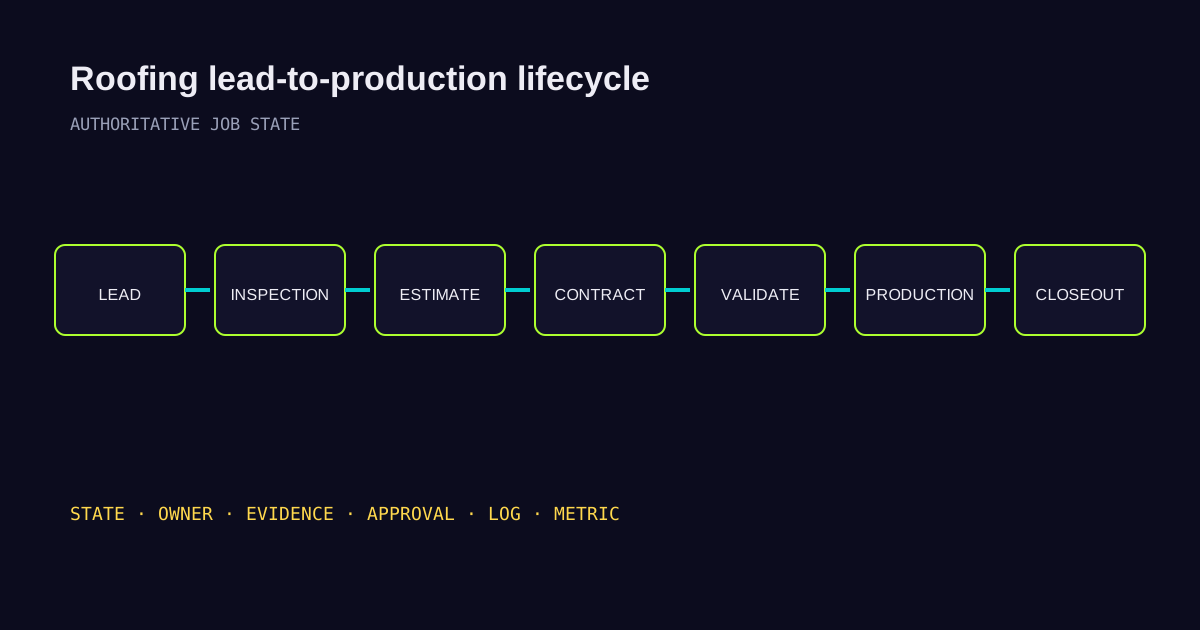
Contact management matters, but roofing work moves through a wider lifecycle: inquiry, inspection, estimate, follow-up, contract, production handoff, materials, scheduling, execution, invoicing, payment, and closeout.
At each transition, the business should be able to answer five questions without opening three applications and calling two people:
- What state is this job actually in?
- Who owns the next required action?
- What evidence must exist before it advances?
- Which system owns the authoritative version of that information?
- What happens when a requirement is missing, conflicting, or overridden?
That is the difference between using a CRM as a contact database and using it as operating infrastructure.
Current roofing products already expose parts of this model. ServiceTitan’s roofing Production Queue uses task templates, dependencies, assigned owners, due dates, and review or approval stages. The point is not that every roofer should use one product. The useful lesson is that state, prerequisites, ownership, and approval are real controls that software can enforce.
The roofing job as the core business object
The cleanest way to design a roofing technology stack is to start with the job, not the applications.
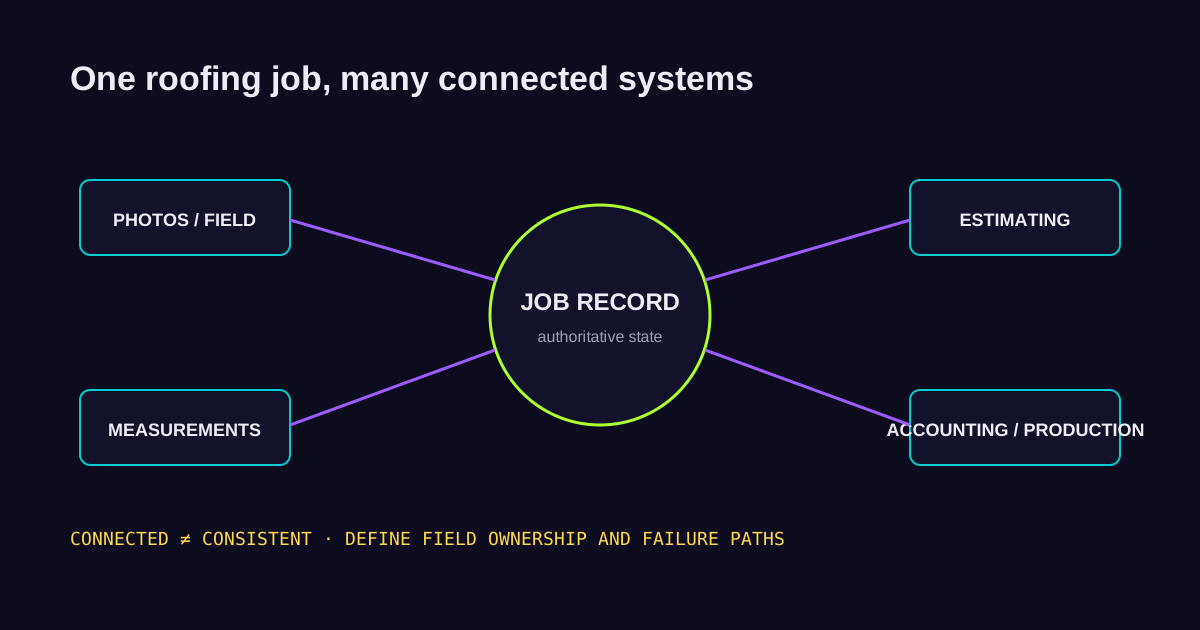
One job may connect to customer and property data, lead source, sales activity, inspection notes, field photos, measurements, estimate, signed agreement, insurance information, material specifications, crew schedule, production state, change orders, invoices, payments, and job-cost data.
The phrase “single source of truth” is often used as if every field must live in one app. That is not always realistic. A field-photo platform may own the original site evidence. A measurement service may own its report. Accounting software may own posted transactions. The roofing CRM may own the commercial and operating state of the job.
The architecture should state those responsibilities. Otherwise two connected systems can disagree and no one knows which one wins.
Five controls every roofing CRM workflow needs
1. Clear state management
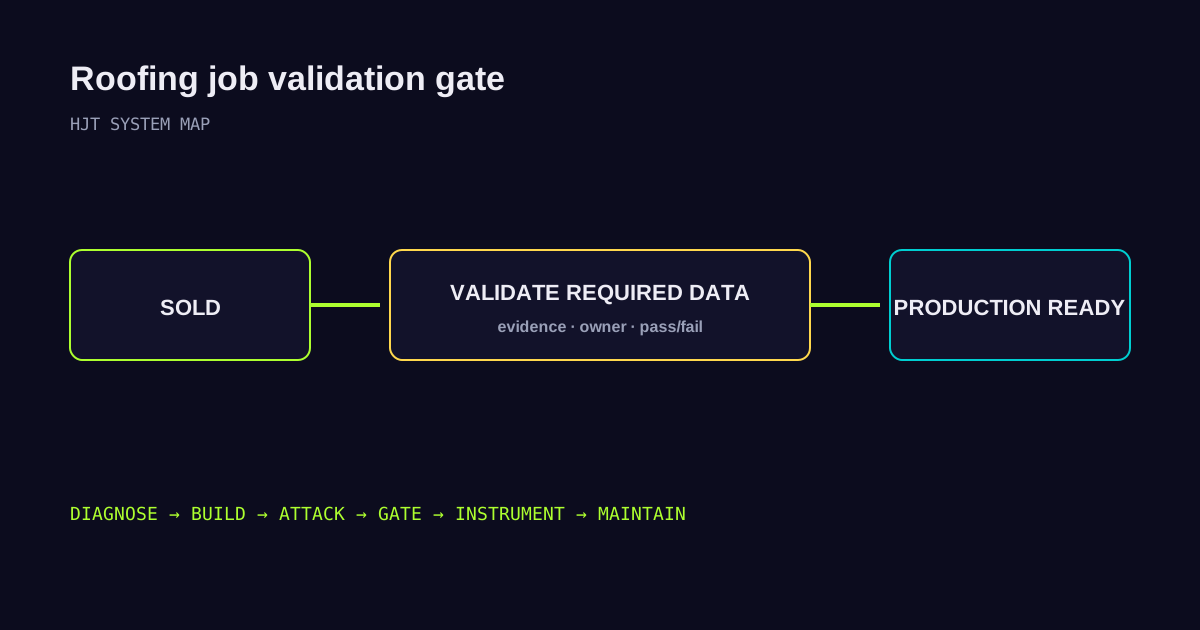
Every stage needs a precise meaning. “Sold” should mean the agreement has been executed under the company’s rules. “Production Ready” should mean the job has passed the company’s production-entry requirements.
A vague pipeline creates vague reporting. If users can move a job to any stage at any time, the dashboard may show what someone clicked instead of what is operationally true.
2. Required evidence and validation
A stage transition should carry requirements. For a production handoff, those may include a signed contract, measurements, material selection, photos, access notes, payment status, insurance information where relevant, and company-specific checklist items.
The exact list will differ by contractor. The key is that the requirement is explicit and testable.
A controlled workflow can reject an incomplete handoff and return it to the owner with a clear missing-item list. An uncontrolled workflow sends production on a scavenger hunt.
3. Ownership and accountability
Every open requirement should have an owner. “Sales needs to fix this” is weaker than “the assigned sales rep owns this correction by 3:00 p.m.”
The exception path matters too. A reliable process defines who receives a failed handoff, when it escalates, and who can approve an exception.
4. Integration and field ownership
An integration needs more than a connection. It needs rules.
If photos move from a field app into the roofing CRM, what happens when the sync fails? If an estimate is revised, which application can update the contract value? If accounting data and job state disagree, which system owns each field?
“Connected” does not mean “consistent.”
5. Observability
A roofing CRM should help leadership see failure, not only activity. Useful signals include rejected handoffs, time in stage, overdue tasks, missing-field frequency, manual overrides, integration errors, correction time, and time from signed agreement to production readiness.
Those metrics show where the workflow consumes capacity.
Why sales-to-production handoffs break
Roofing operator Randy Brothers has written that the sales-to-production handoff is a process many roofing companies struggle with. He recommends strict requirements before a project moves into the build phase, with a checklist or CRM and a designated production reviewer.
That advice points to the same architecture HJT uses: the handoff should be a controlled state transition.
Common failure modes include:
- the salesperson knows something that never entered the system;
- a required document exists, but no one knows where it is;
- production sees “sold” and assumes the file is complete;
- measurements or specifications conflict;
- the job advances even though a prerequisite is missing;
- a problem is resolved through a call or text, leaving no durable record;
- no one measures how often the same failure repeats.
The fix is not simply “communicate better.” The process should make the required communication visible and enforceable.
A simple model is:
SOLD → VALIDATE → PASS / FAIL → HUMAN REVIEW WHERE REQUIRED → PRODUCTION READY
If validation fails, the job should return to the responsible owner with the reason and a measurable clock.
The integration and source-of-truth problem
Roofing technology stacks are rarely one product. CRM, field documentation, measurements, estimating, accounting, communications, materials, and production tools can all coexist.
That creates two major architecture risks.
The first is duplicate truth. If two applications can change the same critical field, conflict resolution exists whether the business designed it or not.
The second is silent failure. A sync can break because of expired credentials, bad data, API changes, rate limits, or a vendor update. If no one detects the break, staff may keep working on stale information.
For each integration, document the source, destination, business object, fields, direction, credential, trigger, failure path, retry rule, reconciliation rule, and responsible owner.
What to automate and what not to
Automation is most useful when it executes a rule the business already understands. Examples include acknowledging a new lead, assigning a task, sending a reminder, checking required fields, or alerting production when a validated handoff is ready.
Automation becomes risky when it hides an undefined decision.
Use this test:
- Deterministic: If the rule is clear and inputs are reliable, automate it with explicit logic.
- AI-assisted: If the task is summarizing, classifying, drafting, or extracting from messy information, AI may help. Its output should still enter a controlled workflow.
- Human-authorized: Contract changes, financial exceptions, disputed scope, refunds, high-impact material decisions, and other binding actions should stay with the authority the business explicitly assigns.
The goal is not maximum automation. The goal is the right authority at every step.
Metrics that expose workflow failure
If a roofing company wants to know whether its roofing CRM is improving operations, track state-transition metrics rather than only activity counts.
Start with:
- percentage of sold jobs rejected at first production review;
- average time from sold to production ready;
- average correction time after a failed handoff;
- number of missing required items per job;
- number of manual overrides;
- percentage of overdue production tasks;
- integration failure count;
- material reorders or corrections tied to missing job information;
- time spent by production chasing sales for missing data.
Better measurement may make the company look worse at first. That is normal. Hidden failures become visible before they become better.
How to evaluate a roofing CRM
Before replacing roofing CRM software, map one real job from lead to closeout. Then evaluate the product against the workflow instead of a generic feature list.
Ask:
- Can stages have clear entry requirements?
- Can tasks have owners and due dates?
- Can dependencies prevent downstream work from starting too early?
- Can required documents and evidence be validated?
- Can managers approve defined exceptions?
- Can integrations expose failed syncs?
- Can users see who changed a critical record?
- Can leadership measure time in state and failure rates?
- Can permissions limit sensitive or high-impact actions?
- Can the system support the real operating model without constant workarounds?
The best platform is the one that supports the control model the company needs. Sometimes that means configuring the current system better. Sometimes it means adding an integration or validation layer. Sometimes a switch is justified. The architecture review should come first.
Frequently asked questions
What is a roofing CRM?
A roofing CRM is software used to manage customer relationships, sales opportunities, communications, and often job or production information. In a mature operation, it should also support clear workflow state, ownership, required evidence, integrations, and reporting.
What is the best roofing CRM?
There is no universal best platform. The right system depends on sales model, production workflow, integrations, reporting needs, accounting stack, job types, and the controls the company needs to enforce.
What should a roofing CRM integrate with?
Common integrations include field-photo systems, measurement platforms, estimating, accounting, communications, financing, material ordering, and production tools. The design should state which system owns each critical field and how failures are reconciled.
Should roofing companies automate the sales-to-production handoff?
Parts can be automated, especially validation, routing, reminders, and status updates. High-impact exceptions and final production approval may still require a human, depending on the company’s process.
What is a roofing CRM audit trail?
An audit trail records important system activity so the company can reconstruct what changed, who or what changed it, and when. Capabilities vary by platform.
Limitations
Roofing contractors differ by geography, insurance mix, commercial versus residential work, sales compensation, production structure, and software stack. The control model above must be adapted to the operation. Vendor features also change and may depend on plan or configuration.
HJT is not claiming that a specific roofing CRM will increase revenue by a fixed percentage. The measurable opportunity is to make workflow failure visible, enforce the company’s readiness rules, and then measure whether cycle time, rework, exceptions, and operational friction improve.
What to do next
Pick one recently sold job. Trace it from first inquiry to production. Write down every system it touched, every handoff, every required artifact, every owner, and every place someone had to call or message another person for missing information.
Then ask: Could the current system have detected that failure before a person did?
If the answer is no, the next move may not be another CRM demo. It may be a systems architecture review.
Sources
- Professional Roofing — Randy Brothers, “What’s your brand?”
- ServiceTitan — Use tasks in Production Queue
- JobNimbus — Contractor CRM
- AccuLynx — Roofing CRM
- Roofr — Roofing CRM
